How Apple AirTag Makes Losing Things a Thing of the Past
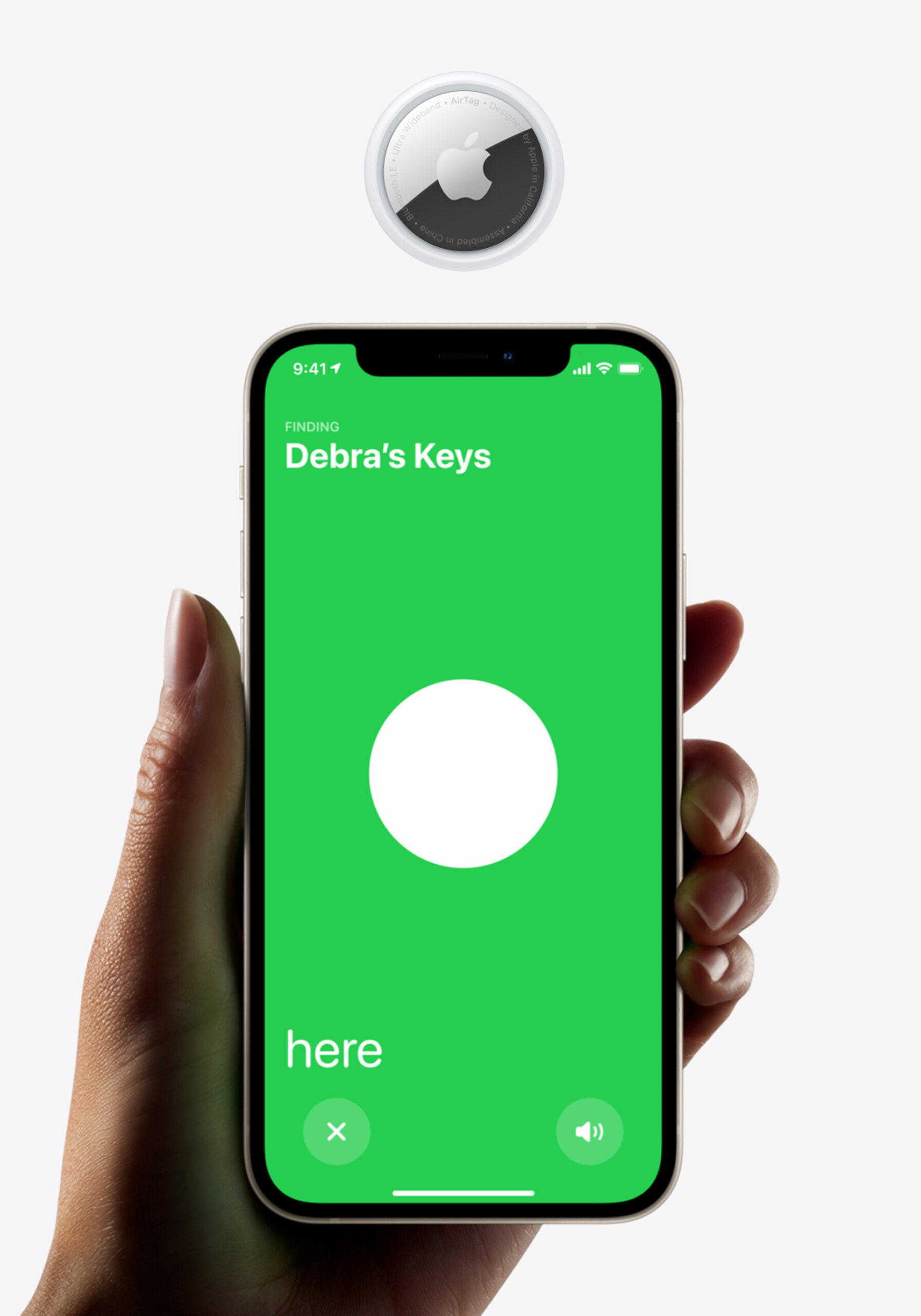
In a world where we constantly juggle keys, wallets, phones, and other everyday items, misplacing something can be a frustrating experience. But with Apple’s AirTag, you can say goodbye to those moments of panic when you lose your belongings. The AirTag is a small, sleek device designed to make keeping track of your things easier and more efficient than ever. Whether you’re always hunting for your keys or trying to find your wallet, AirTag is the solution that brings peace of mind.
What is AirTag?
The AirTag is a compact, coin-sized tracker that can be attached to almost anything you don’t want to lose—your keys, backpack, wallet, or even your bicycle. Once you pair it with your Apple device, it becomes part of the Apple Find My ecosystem, allowing you to track your items in real time using the Find My app.
Easy Setup and Instant Connectivity
One of the best features of AirTag is how simple it is to set up. All you need to do is pull the AirTag out of the box, hold it near your iPhone or iPad, and a prompt will appear on your device asking if you’d like to connect. Once paired, you can give your AirTag a name (such as “Keys” or “Backpack”) and start using it immediately. There’s no complicated installation or setup—just tap and go!
Track Your Belongings with the Find My App
After attaching an AirTag to your item, it becomes visible in the Find My app, which is already used to track your Apple devices like iPhones, iPads, and Macs. This means you don’t need to download any extra apps—everything happens within the app you already use. If you lose your item, you can simply open the Find My app and see where it is on a map. The app also gives you the option to play a sound on the AirTag, making it easier to find nearby lost items.
Precision Finding
For those times when you misplace your item nearby, Precision Finding comes in handy. Using Apple’s Ultra Wideband technology and the built-in U1 chip, your iPhone can guide you directly to the AirTag. Your phone will show the exact distance and direction you need to go, so you won’t waste time searching blindly. The Find My app will display a message like “Cold, Warm, Hot,” guiding you to your lost item with precise accuracy.
The Power of the Find My Network
Even if you leave your item somewhere far away—like at the gym or the beach—AirTag has you covered. The Find My network consists of hundreds of millions of Apple devices around the world, and they can help track down your lost AirTag. The best part? Your location and the data transmitted are all encrypted, so the process is completely private. No one, not even Apple, will know the location of your AirTag or the identity of the devices helping you track it.
Lost Mode and NFC
If you can’t find your item and it’s beyond the range of your device, you can put your AirTag into Lost Mode. When another Apple device detects your AirTag, you’ll receive a notification with the location. What’s more, if someone finds your AirTag, they can tap it with their NFC-enabled smartphone and view your contact information (if you’ve set it up). This is incredibly useful if you’ve lost an item in a public place.
Privacy and Security at the Core
Apple has prioritized privacy and security with AirTag. The location data is fully encrypted and anonymous, so even if a device in the Find My network helps track your AirTag, neither the device owner nor Apple can see your personal location. Plus, AirTags are designed to discourage unwanted tracking. If an AirTag that isn’t yours is found moving with you, your iPhone will alert you. If it continues to travel with you, the AirTag will even start emitting a sound to notify you of its presence.
Water-Resistant and Long Battery Life
AirTag is built to withstand everyday use, with a water-resistant design (IP67 rated), meaning it can survive a splash, a drop in the puddle, or exposure to rain. On top of that, the battery lasts for over a year and is easily replaceable. When it’s time for a new one, your iPhone will send you a reminder, so you’ll never be left without tracking power.
Personalization and Accessories
Want to make your AirTag stand out? When you buy one from the Apple Store, you can personalize it with your initials or even an emoji. Plus, Apple offers a range of accessories like key rings, loops, and holders, so you can attach your AirTag to your belongings in style. Whether you’re adding it to your keys, backpack, or pet collar, AirTag easily blends into your everyday items.
Environmental Considerations
In line with Apple’s commitment to sustainability, the AirTag is designed with environmental responsibility in mind. It’s made with recycled materials, including 100% recycled tin in the solder of the main logic board. The device is mercury-free, PVC-free, and BFR-free, ensuring it’s safe for the planet.
A Practical and Affordable Solution
At just $29 for a single AirTag, or $99 for a four-pack, this little device offers significant value for anyone who tends to lose track of their belongings. Whether you’re always misplacing your keys, phone, or wallet, AirTag is a simple, effective, and affordable way to reduce those frustrating moments.
Conclusion
Apple AirTag is more than just a tracker; it’s a smart and intuitive solution to an everyday problem. It offers peace of mind with its easy setup, precise tracking, and privacy-focused features. With an AirTag attached to your items, losing your keys or wallet won’t be a problem anymore. It’s an ideal gadget for anyone looking to stay organized and avoid those annoying moments of searching for misplaced belongings. So why not make losing things a thing of the past?
Read our previous Article about Apple EarPods (USB-C) – A Complete Review
FAQs
- How do I set up my AirTag?
Setting up your AirTag is simple. Just remove it from the box and hold it near your iPhone or iPad. A prompt will appear asking you to connect it. After pairing, you can give your AirTag a name (like “Keys” or “Backpack”) and start using it immediately. - What happens if I lose my AirTag outside the range of my iPhone?
If your AirTag is out of range, the Find My network helps locate it. This network consists of hundreds of millions of Apple devices worldwide. When any device detects your AirTag, it sends the location to iCloud, and you’ll receive a notification with the location. - Can I track my AirTag if it’s out of battery?
If the battery in your AirTag runs out, it won’t be able to communicate with other devices. However, your iPhone will notify you when the battery is low, so you’ll have plenty of time to replace it with a new CR2032 coin cell battery. The battery typically lasts for over a year. - How does AirTag protect my privacy?
AirTag is designed to keep your location data secure. The location is encrypted and anonymous, meaning no one (not even Apple) can access or track your whereabouts. Additionally, if an AirTag that doesn’t belong to you is traveling with you, your iPhone will send an alert to notify you. - What happens if someone finds my lost AirTag?
If someone finds your lost AirTag, they can tap it with an NFC-enabled smartphone (like an iPhone or Android device) to view your contact information. If you’ve set up the AirTag in Lost Mode, you’ll also be notified when it’s detected by another device.